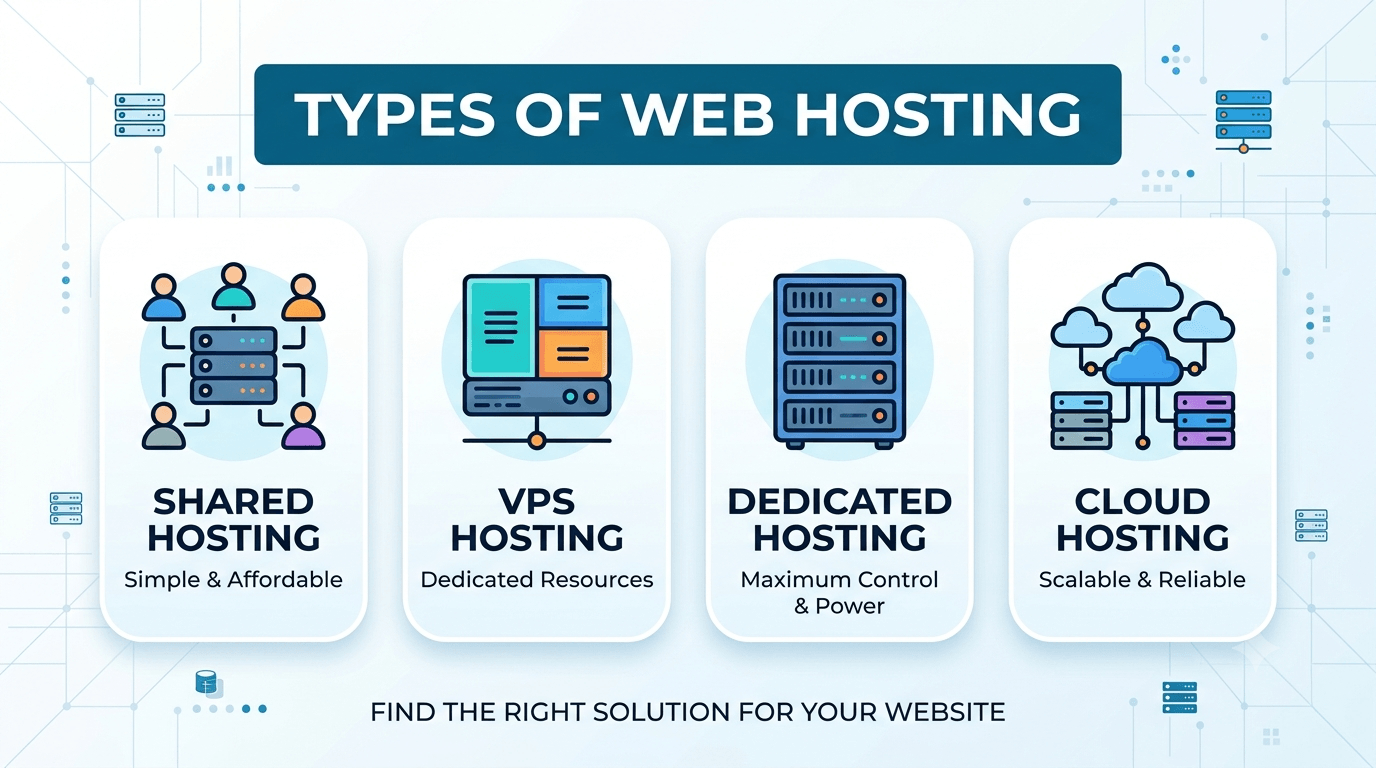
Types of web hosting fall into 10 categories, and the one you pick will determine how fast your site loads, how much you pay monthly, and whether your hosting can keep up when your traffic grows.
The right choice depends on three things: your budget, your expected traffic, and how much technical control you want. A personal blog has no business on a dedicated server. A growing e-commerce store will outgrow shared hosting fast.
This article covers all 10 types. Each one gets a clear explanation, a realistic cost range, and a straight answer on who it suits.
For most sites, the answer is shared hosting to start, VPS when traffic grows past shared limits, and cloud or dedicated when the business depends on the site staying fast and available.
Key Takeaways
- Shared hosting costs $2 to $10/month and suits sites under 10,000 monthly visitors.
- VPS hosting starts around $6/month and is the right move when shared hosting starts slowing your site down.
- Cloud hosting scales automatically and bills by resource usage — ideal for sites with unpredictable traffic.
- Dedicated servers suit high-traffic operations needing full server control, typically $80/month and up.
- Managed WordPress hosting handles updates, backups, and security automatically so you focus on your content.
Our recommendation on hosting providers: I have personally used Hostinger across several projects — shared, VPS, and cloud. Their pricing is honest, their control panel is clean, and their support response time is faster than most. Every hosting type covered in this article is available on Hostinger. Check their current plans here.
Quick Comparison: All 10 Hosting Types at a Glance
The table below shows where each hosting type sits in terms of cost, performance, scalability, and technical demand. Use it to find your starting point before reading the full breakdown.
| Hosting Type | Best For | Starting Price/month | Technical Skill Needed | Scalability |
| Shared | Beginners, personal blogs | ~$2 | Low | Low |
| VPS | Growing sites, developers | ~$6 | Medium | Medium |
| Dedicated | Large businesses, high traffic | ~$80 | High | Medium |
| Cloud | Variable traffic, ecommerce | ~$10 | Low–Medium | High |
| Managed WordPress | WordPress site owners | ~$10 | Low | Medium |
| Reseller | Freelancers, small agencies | ~$15 | Medium | Medium |
| Agency | Web agencies, multi-site managers | ~$25 | Medium | Medium |
| Colocation | Enterprises with their own hardware | Hardware cost + fees | High | High |
| Ecommerce | Online stores | ~$10 | Low–Medium | Medium |
| Free | Students, test projects | $0 | Low | None |
Price ranges are based on entry-level plans from major providers as of 2026. Your actual cost will vary based on resources, add-ons, and the provider you choose.
Shared Hosting
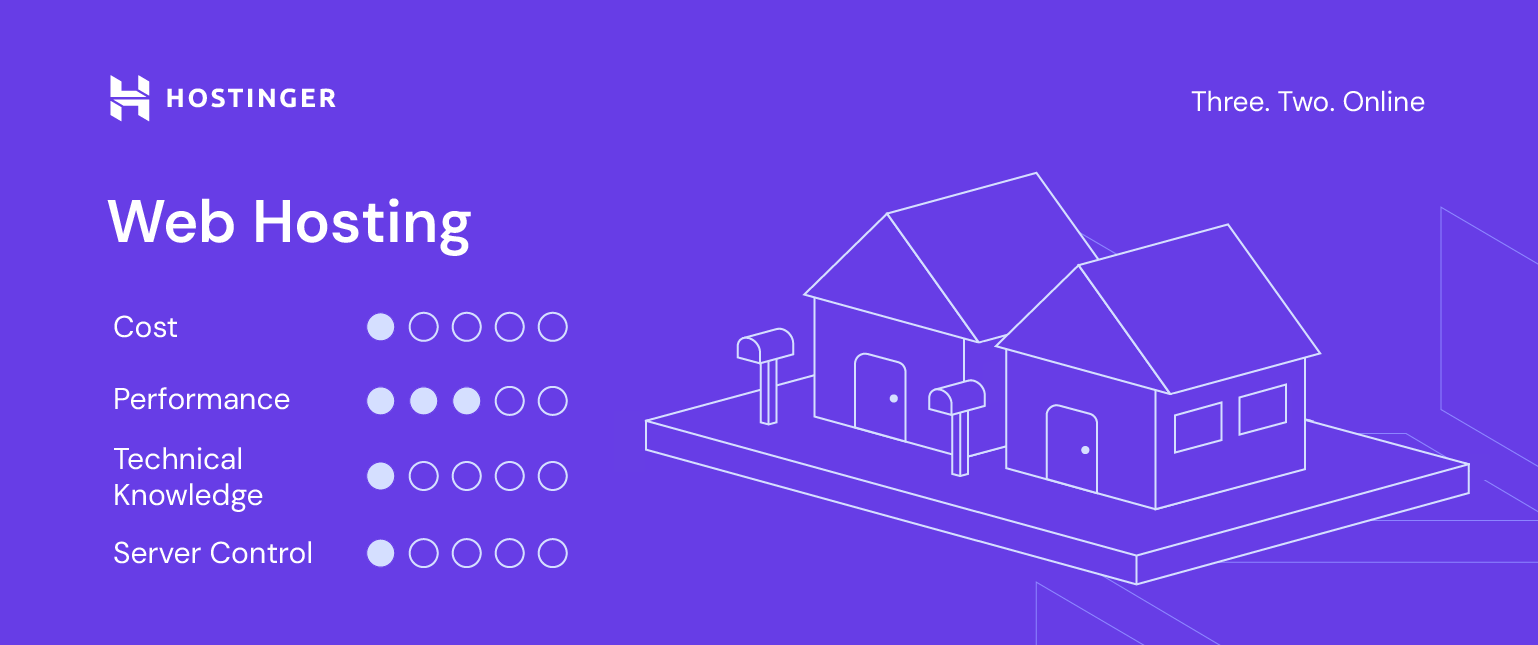
Shared hosting puts your website on a server alongside hundreds of other websites, all drawing from the same pool of CPU, RAM, and storage.
The cost is low because the server bill is split across every account on it. Entry-level shared plans start at around $2/month and rarely exceed $10/month for a standard site. That pricing makes it the most accessible starting point for anyone launching a website for the first time.
The trade-off is resources. When another site on your server gets a traffic spike, your site feels it. Load times slow, response times drop, and you have no way to control it. Most shared hosting providers set hard limits on storage, bandwidth, and the number of databases you can run — so growth has a ceiling.
Security is the other consideration. A vulnerability in one site on a shared server can expose others on the same machine. Good providers isolate accounts at the file system level to reduce this risk, but shared hosting will never match the isolation of a VPS or dedicated environment.
Who shared hosting suits: A new blog, a portfolio site, a small business site with under 10,000 monthly visitors, or anyone building their first website. If your site is purely informational and you are not processing payments or handling sensitive user data, shared hosting is the right place to start.
Who should skip it: Any site running WooCommerce at scale, a membership platform, or a high-traffic content site. If your site is already slow on shared hosting, the problem will not fix itself — move to VPS.
VPS Hosting
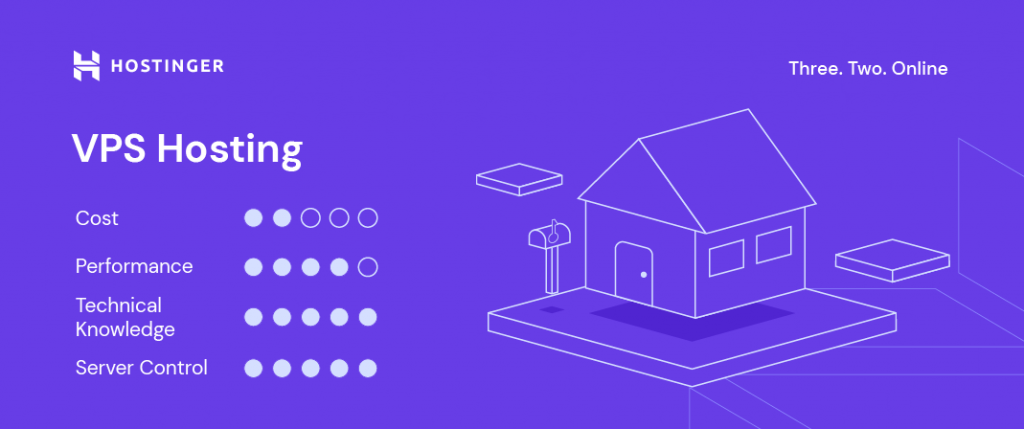
VPS hosting gives you a private slice of a physical server with dedicated resources that no other account can touch.
The server is still shared hardware, but software partitions it into separate virtual machines. Your 4GB of RAM is yours. Your 2 CPU cores are yours. What happens on another VPS on the same machine does not affect your site’s performance. That isolation is the core difference between VPS and shared hosting, and it is why VPS feels closer to owning a server than renting space on one.
Entry-level VPS plans start around $6/month for a basic configuration. A mid-range plan with 8GB RAM and 4 CPU cores sits between $20 and $40/month, depending on the provider. Those numbers are significantly higher than shared hosting, but the performance gap justifies it once your site outgrows shared limits.
Managed vs unmanaged VPS is the decision most people miss. An unmanaged VPS gives you a bare server and expects you to handle everything — the operating system, security patches, software installations, server configuration, and troubleshooting. A managed VPS handles those technical layers for you, leaving you to focus on your site. If you are not comfortable working in a Linux terminal, choose managed. The price difference is small. The headache difference is significant.
When to move from shared to VPS: Three signals tell you it is time. Your site loads slowly despite no unusual traffic. Your shared host keeps throwing resource limit errors. Or you need to install custom software that shared hosting does not allow. Any one of those is enough reason to upgrade.
Who VPS hosting suits: Developers, growing ecommerce stores, sites running custom applications, and any business where downtime or slow load times cost money. VPS is also the right environment for staging servers, private APIs, and Laravel or Node.js applications that need a controlled server setup.
Dedicated Server Hosting
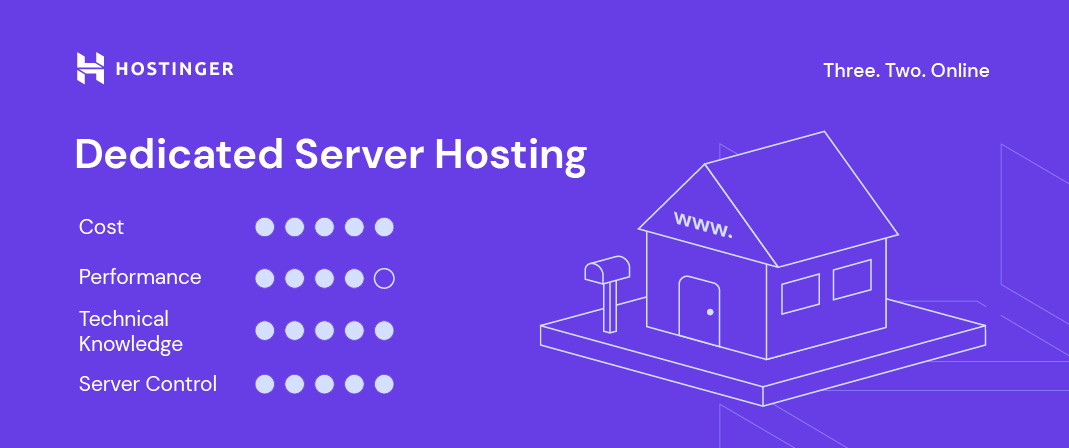
Dedicated hosting gives you an entire physical server, exclusively. No other website shares the machine, the CPU, the RAM, or the storage.
That exclusivity is the product. Every resource on the server goes to your site and nothing else. Under heavy traffic, complex database queries, or simultaneous high-volume transactions, a dedicated server holds performance where a shared or VPS environment would buckle. You also get full root access, meaning you configure the operating system, install any software you need, and set security rules on your own terms.
Pricing reflects that level of resource. Entry-level dedicated plans start around $80/month. A production-grade configuration with high RAM, fast NVMe storage, and redundant network connections sits between $150 and $400/month. Some enterprise setups go higher. This is not a hosting type you choose to save money — you choose it because your site’s performance and security requirements have outgrown everything below it.
Management is the responsibility that comes with the power. Unless you pay for a managed dedicated plan, you own every technical decision on that server — updates, security hardening, monitoring, backups, and incident response. Most businesses at the scale that need dedicated hosting have a developer or a system administrator handling this. If you do not, factor managed dedicated hosting into your budget.
Who dedicated hosting suits: Large ecommerce operations processing thousands of transactions daily, SaaS platforms, financial services sites handling sensitive data, and any organization under compliance requirements that mandate full control over the server environment. If your site consistently pulls 100,000 or more monthly visitors and performance is non-negotiable, dedicated hosting is the correct tier.
Who should skip it: Any site that has not genuinely maxed out a high-tier VPS plan. Most businesses that think they need dedicated hosting actually need a better-configured VPS or a cloud setup. Start there first.
Cloud Hosting
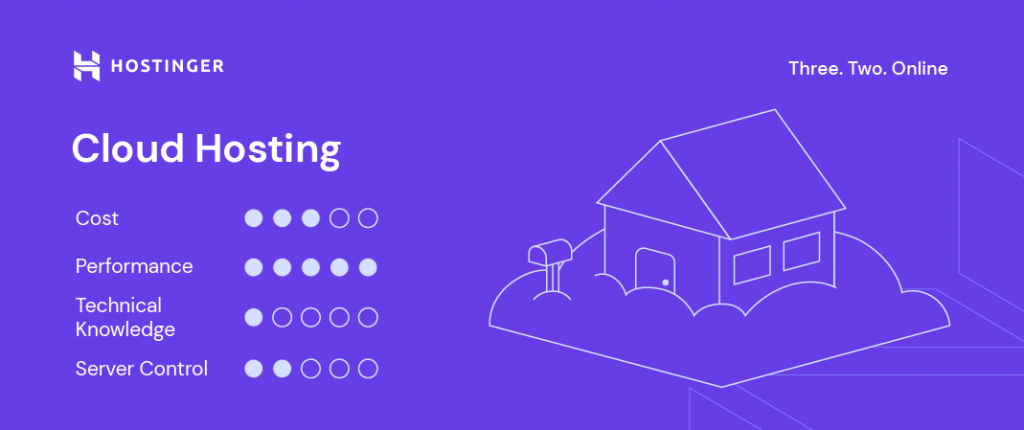
Cloud hosting runs your site across a network of interconnected servers rather than a single physical machine.
When one server in the network is under load, traffic shifts to another. When your site gets a sudden spike — a product launch, a viral post, a seasonal sale — the infrastructure scales up to absorb it automatically. When traffic drops back down, it scales back. That elasticity is what separates cloud hosting from every other type on this list.
The pricing model reflects that flexibility. Most cloud hosting plans bill on a pay-as-you-go basis, charging for the CPU, RAM, and bandwidth you actually consume. A low-traffic month costs less. A high-traffic month costs more. Entry-level cloud plans start around $10/month, but the final bill depends entirely on your usage. That unpredictability is the one genuine downside of cloud hosting — if you do not monitor resource consumption, costs can climb faster than expected.
Reliability is where cloud hosting has a clear structural advantage over shared and dedicated options. A dedicated server going down takes your site with it. A cloud setup distributes your site across multiple nodes, so a single server failure does not cause an outage. For businesses where downtime has a direct cost — lost sales, broken integrations, damaged reputation — that redundancy is worth paying for.
Security in a cloud environment is strong, but shared responsibility. The provider secures the infrastructure. You secure your application, your data, and your access controls. Most enterprise-grade cloud providers offer compliance certifications, encryption at rest, and DDoS protection as standard. Verify what your specific plan includes before assuming it is covered.
Who cloud hosting suits: E-commerce stores with seasonal traffic peaks, SaaS applications, media platforms, and any business whose traffic is genuinely unpredictable. Cloud hosting is also the right choice when you need geographic distribution, serving users across multiple continents from servers closest to them.
Who should skip it: A site with stable, low traffic does not need the overhead of cloud infrastructure. Shared or VPS hosting will serve it better at a lower and more predictable cost.
Managed WordPress Hosting
Managed WordPress hosting is a hosting environment built and optimized exclusively for WordPress sites, where the provider handles the technical side of running the platform.
That means automatic WordPress core updates, plugin updates, daily backups, malware scanning, and server-level caching are all handled without you touching a thing. The server configuration is tuned specifically for WordPress — PHP versions, database optimization, and caching layers are set up to deliver optimal performance on the platform, with no manual configuration required on your part.
The performance difference is real. A WordPress site on a managed plan loads faster than the same site on a generic shared hosting plan because the server is not trying to accommodate every possible type of website. It is built for one thing and optimized around it.
Pricing sits higher than standard shared hosting for that reason. Entry-level managed WordPress plans start around $10/month. Mid-tier plans with staging environments, multisite support, and higher traffic limits run between $25 and $60/month. You are paying for the time and expertise the provider puts into managing the platform, so you do not have to.
The limitation is straightforward. Managed WordPress hosting runs WordPress and nothing else. If you need to run a custom PHP application alongside your site, host a non-WordPress project, or switch CMS platforms later, you will need a different hosting environment. It is a focused product, not a flexible one.
What “managed” actually covers varies by provider. At minimum, it should include automatic updates, daily backups with one-click restore, a staging environment to test changes before pushing them live, and WordPress-specific support staff who can troubleshoot plugin conflicts and performance issues. If a plan calls itself managed but does not include staging and backups, it is not fully managed.
Who manages WordPress hosting suits: Bloggers, business site owners, ecommerce stores running WooCommerce, and anyone who wants WordPress without the maintenance overhead. If you spend more time managing your site than creating content for it, managed hosting solves that directly.
Who should skip it: Developers who want full server control, teams running custom WordPress configurations that require root access, or anyone not using WordPress as their CMS.
Reseller Hosting
Reseller hosting lets you purchase hosting resources in bulk from a provider and sell them to your own clients under your own brand.
You are not building server infrastructure. You are buying wholesale capacity storage, bandwidth, and accounts, then packaging and pricing it yourself. The provider stays invisible. Your clients see your brand, your pricing, and your support interface. Most reseller plans come with WHM (Web Host Manager), which provides a control panel for creating, managing, and terminating client accounts without accessing the underlying server.
Pricing for reseller plans starts around $15/month for entry-level capacity. What you earn depends entirely on how you price your client packages. A reseller plan at $30/month that you split into ten client accounts at $8/month each generates $80/month in revenue from a $30 cost. The margin is real, but it requires a client base to activate it.
The support responsibility is the part that most people underestimate before getting into reseller hosting. When a client’s site goes down, they call you, not the provider. You are the first line of support. If the issue is at the server infrastructure level, you escalate to your provider. If it is at the account or application level, it is yours to resolve. That middle-man position works well if you have the technical knowledge and client communication skills to manage it. It becomes a liability if you do not.
White-label branding is standard across most reseller plans. You set your company name, upload your logo, and configure a custom nameserver so your clients never see the underlying provider’s name anywhere in the hosting interface.
Who reseller hosting suits: Freelance web developers and designers who build sites for clients and want to add a recurring revenue stream. If you are already managing five or more client websites, consolidating them under a reseller account gives you central control and a margin on hosting you are already recommending.
Who should skip it: Anyone without an existing client base or a clear plan to build one. Reseller hosting without clients is just an expensive shared hosting account. Build the client relationships first, then add the reseller layer.
Agency Hosting
Agency hosting is designed for web agencies managing multiple client websites from a single dashboard, with more control and capacity than a standard reseller plan.
The core difference from reseller hosting is scope and tooling. Reseller hosting lets you create and sell hosting accounts. Agency hosting gives you a centralized management environment built around the workflow of an agency, including bulk site management, client reporting, team access controls, and performance monitoring across every site in your portfolio from one place.
Most agency hosting plans include a higher site limit than reseller accounts, dedicated resources per site rather than pooled shared resources, automated client reporting, and staging environments for every site. Some providers bundle SEO audit tools, uptime monitoring, and maintenance mode controls directly into the agency dashboard. The tooling is built around managing sites professionally at volume, not just storing them.
Pricing starts around $25/month for entry-level agency plans and scales with the number of sites and team members you need to accommodate. At the mid to high tier, between $60 and $150/month, you get white-label client portals, advanced staging workflows, and team permission controls that let you assign developers, designers, and clients different access levels on the same account.
The billing model also differs. Many agency hosting providers bill per site rather than per account, which aligns cost directly with revenue. You add a client site, you pay for that site. You lose a client, you remove the site, and you stop paying for it. That structure is more predictable for agencies operating on retainer models.
Who agency hosting suits: Web agencies managing ten or more client sites, digital marketing agencies that maintain client WordPress installations, and any team where multiple people need controlled access to client hosting environments. If you are spending significant time logging into separate hosting accounts for each client, agency hosting eliminates that.
Who should skip it: Solo freelancers with a small client roster do not need agency hosting infrastructure. A reseller plan handles that scale more cost-effectively. Agency hosting makes financial sense when your site count justifies the tooling.
Colocation Hosting
Colocation hosting means you own the physical server hardware and pay a data center to house it, power it, cool it, and connect it to the internet.
You buy the server. The data center provides the facility, the rack space, the redundant power supply, the cooling systems, the physical security, and the high-speed network connections that would cost millions to replicate independently. You ship your hardware to their facility, and they keep it running around the clock. Everything at the infrastructure level is your responsibility. Everything at the facility level is theirs.
The cost structure reflects that split. You pay a one-time hardware cost to purchase your server, anywhere from $1,000 to $20,000 or more, depending on specifications, and a recurring colocation fee for the rack space and connectivity, typically between $100 and $500/month for a single 1U server. The ongoing costs are lower than dedicated hosting at equivalent hardware specs because you own the machine outright. The upfront investment is significantly higher.
Control is the reason enterprises choose colocation. You configure the hardware exactly as your technical requirements demand. You install your own operating system, your own security systems, and your own software stack with zero restrictions from the hosting provider. No shared environment, no provider-imposed software limits, no resource caps set by someone else’s pricing tier.
The responsibility that comes with that control is substantial. Hardware failure is your problem. If a drive fails, you either send a technician to the data center or pay the facility for hands-on support. Remote management tools like IPMI and out-of-band access let you handle many issues remotely, but physical hardware failures require physical intervention.
Who colocation hosting suits: Large enterprises with dedicated IT infrastructure teams, financial institutions and healthcare organizations with strict data sovereignty requirements, and businesses running specialized hardware that cloud or dedicated providers cannot accommodate. Colocation makes financial sense when you are already spending $500/month or more on dedicated hosting and have the technical staff to manage hardware independently.
Who should skip it: Any business without an in-house system administrator. Colocation is not self-service hosting; it is infrastructure management at the hardware level. Without the technical capacity to own that responsibility, the cost advantages disappear fast in support fees and downtime.
E-commerce Hosting
E-commerce hosting is a hosting environment configured specifically for online stores, built around the performance, security, and compliance requirements that come with processing payments and managing customer data.
The difference from standard hosting is not marketing language; it is infrastructure decisions made with commerce in mind. E-commerce hosting plans prioritize fast database queries for product catalogs, high concurrent user handling for peak shopping periods, and SSL certificates as standard rather than optional. The server environment is tuned for the read-write demands of a store running WooCommerce, Magento, or a custom shopping cart, not a static informational site.
PCI DSS compliance is the technical requirement that separates e-commerce hosting from general hosting most clearly. Any site processing credit card payments must meet Payment Card Industry Data Security Standard requirements. E-commerce hosting providers build their infrastructure to support PCI compliance, giving you a foundation that meets the standard. Meeting the full standard still requires correct configuration on your part, but starting on a compliant infrastructure removes the hardest layer of that requirement.
Performance under load is the other defining characteristic. A standard shared hosting plan handles a steady trickle of visitors adequately. An online store during a flash sale or a Black Friday promotion sends hundreds of simultaneous requests to the server: product page loads, cart updates, checkout submissions, and payment gateway calls. E-commerce hosting is sized and configured to absorb that load without the site stalling at the moment it matters most.
Pricing starts around $10/month for entry-level ecommerce plans and scales with product catalog size, transaction volume, and the level of managed support included. Plans built for larger stores with high-volume transactions and dedicated support run between $30 and $100/month.
Who ecommerce hosting suits: Any business running an online store where checkout performance and payment security are non-negotiable. If your store processes real transactions, uses a customer account system, or stores any payment-adjacent data, a hosting environment built for commerce is the correct foundation.
Who should skip it: A site that sells nothing and has no plans to. E-commerce hosting includes infrastructure overhead that a blog or portfolio site does not need. Use shared or managed WordPress hosting for those and save the e-commerce tier for a site that actually processes orders.
Free Web Hosting
Free web hosting gives you space on a server at no cost, and the trade-offs are significant enough that the decision deserves honest scrutiny before you commit to it.
The business model behind free hosting determines everything about the experience. Providers offering free plans recover costs through advertisements displayed on your site, aggressive upselling to paid plans, severe resource restrictions that make the free tier genuinely uncomfortable to use, or by monetizing your data. In most cases, some combination of all four applies.
Resource limits on free plans are not just low — they are designed to be limiting. Storage caps of 500MB to 1GB, bandwidth restrictions that trigger suspension after modest traffic, no custom domain support on many plans, and subdomains that put the provider’s brand in your URL rather than your own. A site running on a free plan typically looks like it is running on a free plan, and visitors notice.
Uptime is the performance issue most people discover after signing up. Free hosting tiers sit at the bottom of the server resource priority stack. When the server is under load, paid accounts get resources first. Free accounts get what is left. That translates directly into slower load times and higher downtime rates than any paid tier from the same provider.
Support on free plans is typically documentation-only. No live chat, no ticket system with a real response time commitment, no phone support. When something breaks, you troubleshoot it yourself.
Where free hosting makes sense: Learning web development, testing a concept before spending money on it, building a temporary project site, or hosting a student portfolio where the URL and performance do not matter. Free hosting is a sandbox, not a foundation.
Where free hosting does not make sense: Any site representing a business, a professional service, or a personal brand you are actively building. A business running on a free subdomain signals to visitors that the operation is not serious. The $2 to $5/month cost of entry-level shared hosting is low enough that free hosting has no defensible place in a commercial context.
How to Choose the Right Hosting Type for Your Site
The right hosting type comes down to four factors: your current traffic, your budget, your technical skill level, and where your site is going in the next 12 months.
Work through them in order.
Start with traffic. If your site gets under 10,000 monthly visitors, shared hosting handles it without strain. Between 10,000 and 50,000 monthly visitors, VPS is the correct tier. Above 50,000 monthly visitors with consistent growth, cloud or dedicated hosting gives you the headroom and reliability that traffic level demands.
Then look at the budget. Shared hosting at $2 to $10/month is the starting point. VPS sits between $6 and $40/month, depending on resources. Cloud hosting starts around $10/month, but bills vary. Dedicated servers start at $80/month. If the budget is genuinely tight, start on shared hosting, perform well, and upgrade when the revenue justifies it. Do not over-invest in hosting before the site is generating traffic.
Then assess technical skill. If you are not comfortable managing a Linux server, narrow your options to shared hosting, managed WordPress hosting, or a managed VPS. Unmanaged VPS and dedicated servers require real server administration knowledge. Choosing an unmanaged environment without that knowledge means paying for a capability you cannot use and troubleshooting problems you are not equipped to solve.
Finally, look at your growth plan. A site you expect to scale aggressively in the next year should start on cloud hosting or a scalable VPS rather than shared hosting, even if current traffic does not demand it. Migrating hosting mid-growth is disruptive and avoidable. Build on infrastructure that can grow with you.
Quick recommendations by site type:
A personal blog or portfolio site starts on shared hosting. A small business site with under 5,000 monthly visitors starts on shared hosting. A WordPress site where you want zero maintenance overhead goes on managed WordPress hosting. A growing e-commerce store processing real orders belongs on e-commerce or cloud hosting. A SaaS application or custom web application belongs on a VPS or cloud environment from day one. A large enterprise operation with strict compliance needs and high transaction volume belongs in dedicated or colocation hosting.
If you are still unsure, start one tier below where you think you need to be, monitor performance for 60 days, and upgrade when the numbers tell you to. Hosting is not a permanent decision it is a starting point.